SMARTair FAQ
The cost-effective way to move from mechanical to digital access control.
Find answers to your questions
Mgmt systems & Data security
In this section, explore questions related to the four management systems that power SMARTair, along with insights into the measures we take to ensure your data remains secure and private. Discover how our systems are designed to offer both robust security and ease of management.
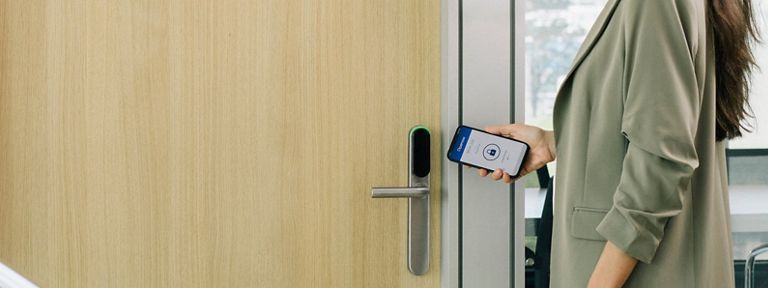
SMARTair is an access control system with electronic devices powered by standard batteries. It is installed without the need for wiring, which is easier and cheaper than traditional wired systems. Devices for doors and other openings have RFID readers compatible with various technologies and an optional PIN keypad. They may also be compatible with Bluetooth technologies. Users can access using RFID credentials, a PIN code or the Openow app on their phones. The system is managed with the TS1000 software, which enables administrators to define doors, users, time zones and calendars. SMARTair offers different management systems adapted to the needs of the installation. It eliminates the problems associated with managing mechanical keys and is more economical than conventional wired systems.
SMARTair has four management system options: Standalone, Update on Card, Openow and Wireless Online. The decision on which one to install depends on how often you need to monitor your users' accesses and how often you need to update your access plan. It's possible to scale up or down from system to system without any need to change the devices (only Wireless Online would require a hardware update). Several management systems can coexist within the same installation and fulfill different securiy needs.
Standalone management system is the best option for small installations where events and door history are not needed. It is the easiest and most affordable management system to administer. No software or specialist equipment is required. All you need to set up your system are door devices with integrated RFID readers (and optional PIN pad), a programming card and users’ RFID credentials. Access is authorized to user’s RFID credentials (or PIN codes) via a programming card. There are two types of programming cards: Standard and with Shadow card functionality. With the Shadow card functionality there’s no need to delete all credentials if one goes missing.
Update on Card management system is the best option for medium event-frequency and irregular door history needs. Update on Card employs user RFID credentials – cards, bracelets, tags and more – for information exchange between system management software and door devices. Once the system has been set up, you collect user events and change access rights via their RFID credentials. You read/write a user's credentials any time you want to collect events and/or change their access. You can do this manually using a card encoder or automatically by installing an updater point at the premises. You may also force users to do this by activating revalidation: The user must update their credential after a period of time; for example, every day, week, month, etc. If the user fails to do so, their card will be deactivated and will not open doors until it's revalidated.
Openow management is the best option for high event-frequency and regular door history is needed. With the Openow management system, virtual keys are sent, revoked and updated over the air from any device. Facility managers can collect door history and trigger email alerts remotely via users’ Openow app. In this system, revalidation is not needed because events are automatically sent from a user's mobile phone to the server. Access rights modifications may automatically be sent in the opposite direction.
Wireless Online management is an excellent option for high event-frequency and regular door history needs. With Openow management, virtual keys may be sent, revoked and updated over the air from any device. Door devices comunicate with the server via a network of communication HUBs. When the system has been set up, door devices automatically update in real time: They arrive on the server automatically from door devices. All necessary updates (new access rights, time schedules, calendars, etc.), are automatically sent from the server to the door devices, also in real time.
Yes. One advantage in such a configuration is cost: A system can start with Update on Card–managed locks which are later reconfigured to work online by adding HUBs. A mixed configuration can also save costs at openings where access control is needed, but security demands are low, such as a document archive or cleaning materials storeroom.
SMARTair software is TS1000 (for client-based installation) or TS1000 Web (for web-based management). With TS1000, administrators configure the access plan and manage access across their site.
SMARTair may be managed remotely by connecting to the web-based version of the TS1000 software (using an Internet connection and a log-in). The database is hosted locally, not in the cloud.
Yes, through TS1000 Web which runs on any device without the need to install anything. Only an internet connection and login access to the server are needed. All communications are secured using standard security protocols.
Yes. Using TCP/IP and/or SOAP/API commands, a TS1000 database installed on the server may exchange information with third-party software. Commands can be executed automatically in real time – for example to add users, collect events, etc. All operations which are programmed for execution via a command may only be done on the third-party sofware. You do not the need to perform the same operation on TS1000.
Yes. You can install door devices on multiple buildings and manage them all from one server and database. Remote buildings can use TS1000 Web to manage their system.
Up to 64,000 users and doors.
The SMARTair system is fully scalable. You can expand your installation, adding more users or doors, at any time. You may also upgrade management from Standalone to Wireless Online, for example.
A SMARTair system uses the highest security protocols, including AES-128 encryption and SSL comunication. In order to maximize your system's protection level, please ensure it is running the latest software version.
Comunication between the HUB and all electronic devices is wireless at 868MHz, 902MHz, 915MHz or 922MHz with AES-128 encryption. This follows the highest security standard protocols.
A HUB connects to the server through the TCP/IP network of the building (LAN). It is connected with a fixed IP address and data is transfered using the SSL comunication protocol.
SMARTair is compatible with the major RFID 13.56MHz Contactless Read & Write Identification technologies such as MIFARE, DESFIRE, i-CLASS, and more. To associate a credential to a user, the SMARTair system writes information in one of the available sectors of the credential. SMARTair follows read/write security protocols provided by the identification technology, such as the AES encrypted comunication in DESFIRE. In addition, the SMARTair system adds extra security to some technologies (like MIFARE) to protect data stored in the credential.
Secure data transmission for all Openow communications uses the following industry protocols: encrypted https secure connection between TS1000 software and every user’s smartphone and AES-128 with diversified keys encryption for all communications between smartphone and door devices.
From version 08.00 (and higher), all access to data stored in the server is protected by encrypted connections and SRP (Secure Remote Password).
The TS1000 Web only accepts secured https connections: http is disabled.
SMARTair updates require libraries on every upgrade. Keep your system updated to the latest version for the highest levels of protection.
SMARTair has been fully compliant with the GDPR since it was established in 2018.
Credentials & Door devices
Dive into the specifics of credentials and door devices within the SMARTair system. This area covers the types of credentials supported, how to manage them, and the features of our door devices. Find answers to your queries on compatibility and usage.
SMARTair credentials are available for most standard 13,56MHz contactless read and write RFID technologies, including iCLASS®, MIFARE® Classic or DESFire® and SKIDATA. They are available in multiple physical formats: card, bracelet, keyring (or fob). SMARTair can also use virtual/mobile credentials, via the Openow app (for iOS and Android) using BLE technology. Devices can also be unlocked remotely with the SMARTair Remote app (only for the Wireless Online management option).
Yes. Each user can carry and use a physical RFID credential and an Openow credential simultaneously.
In general, yes. You may migrate from one RFID technology to another (for more security or any other reason). This operation can be done within the management software (with the highest operator level). Once the new setup has been established, door devices will need to be updated and you should encode new credentials for users.
Yes: i-max escutcheons and i-reader wall readers have an option with both reader module and keypad. On these doors, users unlock doors using their RFID credentials (card), with a keypad door code (PIN), and or a combination of both for extra security (card+PIN or PIN+card).
Yes, RFID credentials can be personalized. However this requires a minimun order quantity.
Yes, Openow can integrate with another app. Once integration has been completed, users open doors with the third-party app, rather than the Openow app.
SMARTair offers electronic escutcheons (i-max), electronic locks (i-volution and i-minimal), digital knob cylinders, electronic padlocks (i-gate), wall readers (i-reader) and cabinet locks (e-motion).
SMARTair door devices are designed to fit most doors (Euro, DIN, Scandinavian, Finish, Swiss, Australian and ANSI profiles) deployed in a commercial, education, healthcare, municipal, multi-residential or almost any other type of setting. Doors may be wooden doors or narrow profile metalic doors, with door width beween 30mm and 120mm. SMARTair solutions for non-standard doors (anti-panic exits, glass doors, etc.) are also available.
SMARTair door devices are compatible with thousands of ASSA ABLOY mechanical products such as mortise locks, handles, door closers, panic bars, mechanical cylinders, electromechanical lock cases and more.
Yes, the i-max escutcheon and knob cylinder are compatible with almost any type of mortise lock with different profiles (EUR, SCAN, FIN, SWISS, ANSI, etc.), with various distances between axes (70mm, 72mm, 85mm, 92mm, etc.), diferent spindles (7mm, 8mm or 9mm), different backsets, and so on.
It depends on the door device and the door itself. Electronic escutcheons, wall readers and cabinet locks require some installation work. Knob cylinders and padlocks do not require any work.
Yes, i-volution and i-minimal locks are designed specifically to work with electromechanical locks. These locks must be provided by TESA.
All SMARTair electronic door devices are offered in two versions: for external doors (IP56 rated) and for internal doors (without IP rating). The SMARTair i-gate padlock has an IP68 rating.
In many cases, yes. Each case must be verified with the specific glass door and its locking specification in mind. The knob cylinder is generally most suited, because of its fixing requirements. The i-max escutcheon is only suitable for new doors. Additional mechanical hardware must be acquired separately.
Fire certificates appply to the complete door: the door itself, with all additional hardware fitted including hinges, door closer, mechanical mortise lock, mechanical handle and/or electronic door device. In the SMARTair product range, all electronic door devices have been part of a fire test completed for specific doors. Thus, all SMARTair door devices have a solution compliant with EN 1634 certification.
Yes, i-max escutcheons are compatible with all TESA Panic Bars, in both options (mortise and rim). All options are EN 1125 certifed.
The i-max escutcheon and i-volution and i-minimal locks may be installed with an external mechanical cylinder for mechanical emergency openings. The i-volution and i-minimal locks will register the mechanical opening. For i-max escutcheons, you also have the possibility to register mechanical opening by installing a special mechanical cylinder.
Yes. All SMARTair door devices may be opened using programming devices like the portable programmer and/or the PC-To-Lock cable. Thus, emergency opening will work even without batteries and the opening will be registered in the door device's memory.
Both the i-max escutcheon and knob cylinder offer different finishes (stainless steel, satin chrome, satin brass, polished brass, black painted, white painted and more, including antibacterial coating). They also have two reader module colours (black and white) and a choice of handles: VECTOR (L shape), SENA (U shape), FSB, and many others.
All SMARTair door devices are CE certifed. All Declaration of Conformity documents are available on the TESA web page. Test reports are also avialable on demand.
The SMARTair i-max escutcheon has been certified with EN 1906 Category of Use Grade 4, tthe maximun level for that category.
Yes. All SMARTair door devices include an LED on the reader module and some, like the i-max escutcheons and wall reader, have a buzzer too. On some devices, both LED and buzzer may be customized by using the management software.
In general, a green LED indicates access granted and red means access denied. A blue LED indicates that the SMARTair door device is in communication with a management device for some reason (e.g. updating).
Installation & Programming
Uncover the essentials of installing and programming your SMARTair system. Whether you're a new user setting up for the first time or looking to expand your current setup, this section provides guidance on installation processes, programming tips, and best practices to ensure a smooth operation.
Only the SMARTair knob cylinder requires a special tool (included in the box, for mounting its knob cover). For the rest of the SMARTair family, you only need standard tools such as Allen keys, screwdriver and drill. If any devices require a special tool, it's included in the box.
SMARTair door devices do not require any type of wiring: they are wireless. Only the wall reader requires some wiring because it must connect to a door drive such as an electric strike, an electromagnetic/electromechanical lock, a winch, a garage door, an elevator, etc.
It depends on the specific device. A SMARTair cylinder can take just a few minutes. It involves simply removing the existing cylinder and mounting the SMARTair device. For a lock, you must make the necessary grooves in the door and then assemble it; an experienced fitter may take about 20 minutes per door. In the case of the reader, which must be wired and will also to be connected to a device that unlocks the door, it will depend on the electrician's expertise.
SMARTair devices in their outdoor version have an operating range from -20ºC to +70ºC, with humidity up to 85% without condensation.
SMARTair cylinders and locks adapt to a wide range of mortise locks available on the market. Wall readers only depend on their connection to an electric locking element, and so they adapt to almost any door.
SMARTair readers may be installed without problems at turnstiles, automatic doors, elevators, gates and more. Simply select the appropriate closing element for each case.
In long corridors with doors along two sides, the HUB's optimal placement is on the wall at one end pointing back towards the other end. If the space is more like a square — e.g. entrance halls or a lobby — then attaching the hub to wall in the centre, generally provides approximately 30m diameter of coverage. Please refer to HUB coverage drawings for generic rules on how to place hubs.
The standard range is up to 30m. However, this can be impacted by factors including the physical location of locks relative to the HUB; and the building's Wi-Fi environment in general. Please refer to HUB coverage drawings for generic rules on how to place them.
For us to recommend the most suitable model, it is essential for you to know: the type of door; thickness of the leaf; type of mortise lock (if it exists or if we must supply it together with the SMARTair device); and if the door is inside or outdoors.
To configure your SMARTair system you must purchase, along with the equipment, a management kit which includes the TS1000 software installer and its database customized to your needs, a card writer, a portable programmer, the communication cable with the devices and user cards (the number varies depending on the type of technology).
To program SMARTair door devices you only need the portable programmer or a PC-To-Lock connected to a laptop or tablet (with Windows operating system). The connection cable with the device is supplied with either of these two.
Ideally, up to 30 doors within a 30-metre range.
Normally the distributor who supplied the SMARTair devices will take charge of installation, putting devices into operation, and providing any necessary training for daily system management.
The first step is to install devices at the doors. To facilitate this, each device includes a construction card, so that its operation can be checked at the door before initialization. The second step consists of installing HUBs (Wireless Online system only). Software installed on a management PC performs the role of data and program server.
No, SMARTair devices do not use Wi-Fi for radio communication. The technology we use is 868 MHz frequency proprietary communication with an encrypted protocol (Wireless Online system).
The initial commissioning process consists of creating a locking plan, initializing door devices, and recording user cards.
It simply answers three crucial access questions: who goes where, and how. To do this, first define your list of users (who), then a list of doors (where), and finally within what time(s) and/or days (how).
TS1000 enables you to copy access to another door automatically. Likewise, door accesses may be copied from one user to another – easily and quickly.
The SMARTair wireless platform works on the 868 MHz and 915 MHz frequency. Any other devices in the same frequency may be disturbed. It is possible to change frequency channels to avoid this problem.
Operation & Maintenance
This section addresses the day-to-day operation and maintenance of your SMARTair system. Learn how to keep your system running efficiently with troubleshooting advice, maintenance tips, and operational guidance to maximize the longevity and performance of your SMARTair solution.
The SMARTair system offers two different interfaces for day-to-day operations: TS1000 Windows-based software and the Web Manager. In both interfaces you can manage users, doors, time schedules and calendars, access rights, events and all other operations. Both platforms are offered with a very user-friendly interface. It is easy to manage and to use.
A new user can be added at any time. For each user you define name, the group where s/he belongs, and any other necessary information for that specific user. Once a user is on the system, you can define their access rights for building openings. You then encode the physical RFID credential and/or send an Openow virtual credential to their mobile phone.
A new door can be added at any time. Firstly, get door device and install it at the designated opening. Once the door has been added to the system and its specific access rights defined, you can initialize it. Authorized users automatically have access to the door without any need to re-encode their credentials.
In a SMARTair system access rights are stored in the memory of door devices. Therefore, every time that there are modifications to the access rights, you must update the door devices – with no need to re-encode users' credentials. This means you can change access rights at any time without bothering site users.
In a SMARTair system, the status of doors is shown in the doors menu. You can see if a door is updated and/or needs to be updated. Furthermore you see battery status of a door device. If any door shows that it needs to be updated, this means the latest modifications have not been transmitted to the door device: Action to update it will be required.
Yes. For each user, you can define activation and expiration dates. The encoded credential of that user will be only valid from its activation date and time until expiration date and time.
A lost or stolen credential is revoked simply by encoding a new credential for the specific user. The new credential automatically cancels the missing one.
Yes. The SMARTair system offers State Tables, where available operation modes may be defined for different time periods. For example, you can define one state table in which a door changes to passage mode (open) at 08:00 every day, Monday to Friday, and back to standard mode (closed) at 17:00.
Yes. In doors where the device has a reader module with keypad, you can enforce multu-factor authentication via credential plus PIN. To open the door, user the credential and then enter a PIN in the keypad module.
All system events stored in the memory of door devices are sent to the server according to the management system in use. In an Update on Card system, events reach the server via RFID user credentials and a wall reader updater. In the Openow Update Card system, events are sent to the server in real time from the user's mobile phone. With SMARTair Wireless Online, events are sent via wireless HUBs – also in real time.
Yes. The SMARTair system can export several reports (user and door lists, events, software audits, etc.) in different formats.
Yes, using the Web Manager.
Yes, with the Web Manager and Wireless system management.
SMARTair Wireless management offers Lockdown funtionality. In a Wireless system you can define Lockdown building areas and associate every door with an area. The Lockdown function offers the option to OPEN, CLOSE or CLOSE AND BLOCK each of these areas, automatically and in real time, with one click. According to the specifics of the emergency, you simply choose between those three options.
In a SMARTair system you can define email alerts for all types of event. If you want to be alerted when a user tries to open a door without authorization, for example, you simply define it and the email alert will be sent.
SMARTair uses standard, non-rechargeable alkaline batteries. Depending on the device, these may be CR2 or AAA.
Every SMARTair unit has its own expected battery lifetime. This depends on multiple factors including type and capacity of the battery, online or offline operation, RFID technology and other factors. Typical time between battery changes is 2 years. We recommend you replace device batteries at least every 2 years, or earlier if the unit indicates low battery status.
The SMARTair platform keeps managers informed so they can be prepared. Low battery is indicated by an LED on the reader and also by an automated alert sent to the software via a HUB (SMARTair Wireless Online) or as an event on card memory (SMARTair Update on Card). This gives admistrators plenty of time to replace batteries. If batteries are not replaced in time, SMARTair has emergency power options. For the knob cylinder, batteries are in the outside part of the door. Replacing them is straightforward. For the rest of the device range, they can be powered up via portable programmer, PC-To-Lock or emergency battery pack. After replacing a flat battery, no other action is required in a Wireless Online system. For Update on Card management, you may need to set the time.
It depends on the specific device. A QR code and the user manual indicate the process for changing batteries.
SMARTair does not update software automatically. SMARTair publishes 2 software updates a year which include not only compatibility with new versions of Windows, but also improvements and new functionalities for the devices. It is recommended to manually update your SMARTair system once a year.
SMARTair technical support is provided by our distribution network. In case of doubts about the operation of devices, you should contact the SMARTair distributor through which you made the purchase. The entire distribution network is in direct daily contact with our own SMARTair technical service.
Extreme environmental conditions affect any electrical or electronic device. This is why SMARTair devices are available in both indoor and outdoor ranges.
Most common household all-purpose cleaners and disinfectants, alcohol-based cleaning solutions (no more than 70% isopropyl alcohol), and hydrogen peroxide cleaners are acceptable. For more information see the QR code.
Reviewing the event and alert menus can help determine if any of your door devices require specific maintenance. It will also tell you when it's time to change batteries. Additionally, perform a visual check of the device's general condition in case it has deteriorated or been damaged from use or vandalism.
Updating door devices' firmware is done with a portable programmer or PC-To-Lock.
The TS1000 software has two menus: events and auditor. The first records all events which occur on a door device (authorized and denied access, intrusion alerts, low battery, door left open, etc.). The second audits all the changes made by the software (adding users/doors, modifications to the matrix, etc.) and also records errors in wireless communications.
SMARTair guarantees for the legal period required in each country, and with a maximum of three years, from the date on which the product was purchased from a distributor. Subject to compliance with the instructions for use and maintenance specified by factory in accordance with Law 23/2003, of July 10, updated according to Directive (EU) 2019/771 published on April 28 in the BOE-S-2021-101, of Guarantees in the Sale of Consumer Goods currently in force. (BOE no. 165, of 07-11-2003, pp. 27160-27164). You may review the full document on the TESA website (www.tesa.es).
It depends on the condition of the installation and the frequency of use. It is necessary to change batteries for relevant devices at least once every 2 years. However, an annual review of general condition and a firmware update is recommended.
Because SMARTair devices are autonomous and battery powered, they continue working as normal.